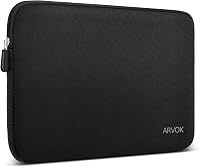
6 Best Sleeves for the 15-Inch MacBook Air (November 2026)
The best 15-inch MacBook Air sleeves include the MOSISO 360 Protective Laptop Case 15 inch for organized travel, the tomtoc 360° Protective Laptop Sleeve for 15-inch for corner protection, and the CaseBuy MacBook Air 15 inch Sleeve Water-Resistant for slim everyday carry.
On this page (12 sections)
- Which sleeve is the best sleeve for MacBook Air 15?
- 1. MOSISO 360 Protective Laptop Case 15 inch
- 2. tomtoc 360° Protective Laptop Sleeve for 15-inch
- 3. CaseBuy MacBook Air 15 inch Sleeve Water-Resistant
- 4. Comfyable Laptop Sleeve 15 Inch Precisely Compatible
- 5. ProCase 15 Inch Laptop Sleeve for MacBook
- 6. ARVOK Laptop Sleeve Case
- How do you choose a MacBook Air 15 sleeve size?
- Do you need a 15-inch laptop sleeve or a MacBook Air sleeve?
- Which sleeve features matter for daily work?
- What should you carry in a MacBook Air 15 sleeve?
- Verdict: which is the best sleeve for MacBook Air 15?
The MOSISO 360 Protective Laptop Case 15 inch is the best sleeve for MacBook Air 15 if you want padding, pockets and travel features in one case. tomtoc is the better fit for buyers focused on corner protection, while Comfyable keeps the cover thin and simple.
The 15-inch MacBook Air needs more than a sleeve label that says “15 inch.” Compare the computer's measurements with the sleeve's internal dimensions, then decide whether you need a close cover, accessory storage, water resistance or a handle.
For basic sleeve terms and fit checks, start with this computer sleeve for laptops buying guide. If you want a wider overview of Apple options, see our best MacBook Air sleeve guide.
Our picks at a glance
-
1
 Best for organized travel
MOSISO 360 Protective Laptop Case 15 inch
9.7/10 our score
See it on Amazon -
2
 Best for corner protection
tomtoc 360° Protective Laptop Sleeve for 15-inch
9.5/10 our score
See it on Amazon -
3
 Best for slim everyday carry
CaseBuy MacBook Air 15 inch Sleeve Water-Resistant
9.4/10 our score
See it on Amazon
- 4
 Check it
Comfyable Laptop Sleeve 15 Inch Precisely Compatible
Best for a minimalist cover - 5
 Check it
ProCase 15 Inch Laptop Sleeve for MacBook
Best for mixed laptop households - 6
 Best for water-resistant wide fitCheck it
Which sleeve is the best sleeve for MacBook Air 15?
The best sleeve for MacBook Air 15 depends on how you carry the computer each day. MOSISO is the most complete travel option, tomtoc gives the clearest protection focus, and CaseBuy balances a slim body with a large front compartment.
That opening choice sets the rest of the buying process. A commuter who walks to a station needs a different shape from a desk worker who slides the laptop into a backpack.
Our score weighs dimensions, materials, protection features, storage and buyer feedback against the needs of a 15-inch MacBook Air. It also looks at water resistance, carry style and how a sleeve fits with other bags.
Fit comes first in that scoring because padding cannot protect a laptop that moves inside the case. A sleeve that is too tight can also stress a zipper or make daily removal annoying.
Storage comes next for many buyers, but it is not right for everyone. A slim cover suits a light commute, while a pocketed case suits a traveler who carries a charger and mouse.
Care needs matter too, since fabric types and linings ask for different cleaning habits. A buying choice that looks simple at first can become work if it keeps dust or stains.
The picks below keep those trade offs in view. Each one suits a different routine, so read the fit notes before you focus on extras.
| Product | Best for | Internal size | Material | Carry features | Our score |
|---|---|---|---|---|---|
| MOSISO 360 Protective Laptop Case 15 inch | organized travel | 14.37 x 10.04 x 0.79 in | Polyester with foam padding and fluffy cushion | Handle, side-opening zipper and trolley belt | 9.7 |
| tomtoc 360° Protective Laptop Sleeve for 15-inch | corner protection | 13.58 x 9.6 x 0.87 in | Recycled polyester | 9.5 | |
| CaseBuy MacBook Air 15 inch Sleeve Water-Resistant | slim everyday carry | 14.17 x 10.04 x 0.79 in | Canvas fabric with suede interior and cushioning pad | 9.4 | |
| Comfyable Laptop Sleeve 15 Inch Precisely Compatible | a minimalist cover | 14 x 10.43 x 0.32 in | Faux leather with felt interior | 9.3 | |
| ProCase 15 Inch Laptop Sleeve for MacBook | mixed laptop households | 13.42 x 9.37 x 0.95 in | 9.1 | ||
| ARVOK Laptop Sleeve Case | water-resistant wide fit | 14.6 x 10 x 0.79 in | PVC outer layer with velvet lining | 8.8 |
1. MOSISO 360 Protective Laptop Case 15 inch
MOSISO 360 Protective Laptop Case 15 inch: Best for organized travel
- 14.37 x 10.04 x 0.79 in internal dimensions
- 4 front zipper pockets
- Extendable handle
- Back trolley suitcase belt
The MOSISO combines a padded sleeve with several organizer pockets, a handle and a suitcase belt. It suits commuters and travelers who want to carry accessories with the laptop.
Pros
- Multiple pockets
- Extendable handle
- Trolley suitcase belt
Cons
- Not water resistant
- Bulkier than a basic cover
MOSISO is the strongest all-purpose pick because it works as both a padded sleeve and a small laptop carrying case. Its internal dimensions are 14.37 x 10.04 x 0.79 inches, so compare those measurements with your MacBook Air before ordering.
The polyester outer fabric surrounds a foam padding layer and fluffy cushion. The reinforced interior edge is designed for protection around the laptop, while the side-opening zipper helps keep the computer inside during carrying.
Storage is the main reason to choose this model. It has 4 front zipper pockets, with separate raised and horizontal or vertical pocket dimensions for items such as a mouse, earphones, pens and notepads.
An extendable handle lets you carry the sleeve on its own, and the handle can tuck away. A back trolley suitcase belt makes it useful for airport or business travel, while the slim profile can slide into another bag.
Choose MOSISO if you want one case for laptop protection, small accessories and short trips. Its stated water resistance level is not water resistant, so use extra care in rain.
2. tomtoc 360° Protective Laptop Sleeve for 15-inch
tomtoc 360° Protective Laptop Sleeve for 15-inch: Best for corner protection
- CornerArmor Technology
- High-density soft padding
- Water-resistant recycled polyester
- Front accessory pocket
tomtoc focuses on impact protection in a pouch-style sleeve with a front pocket. Its stated fit covers the 15-inch MacBook Air M5, M4, M3 and M2 generations.
Pros
- Corner protection
- Water-resistant fabric
- Accessory pocket
Cons
- Less carry structure than a briefcase-style sleeve
- Check the internal dimensions carefully
tomtoc is the best choice when corner protection matters most. Its internal dimensions are 13.58 x 9.6 x 0.87 inches, and its compatibility details include the 15-inch MacBook Air M5, M4, M3 and M2 generations.
That size makes it a close fit for the MacBook Air 15, so measure your own machine before you order. A close fit limits sliding, which helps the padding stay in place during a commute.
The sleeve uses CornerArmor Technology, high-resilience edges and high-density soft padding. tomtoc says the design passed a Military-Standard-Drop-Test, but that claim does not guarantee protection from every fall or impact.
Corners take hard knocks when a bag hits a door frame or a desk edge. Extra edge structure is meant to spread that force before it reaches the laptop.
Its recycled polyester fabric is water resistant, and the sleeve uses a soft lining with YKK zippers. The front pocket measures 11.22 x 8.46 inches, giving you room for accessories such as a mouse, cable or external drive.
That front pocket is flat and simple, so it works best for light items. A bulky charger can press against the laptop if the pocket is overfilled.
This is a pouch-style sleeve rather than a handled laptop briefcase. Pick it when the MacBook will usually travel inside a backpack or briefcase and you want the sleeve itself to focus on padding and edge protection.
In daily use, wipe the fabric clean and let it dry fully before packing the laptop again. Keep the zipper free of dust so it closes smoothly.
3. CaseBuy MacBook Air 15 inch Sleeve Water-Resistant
CaseBuy MacBook Air 15 inch Sleeve Water-Resistant: Best for slim everyday carry
- 14.17 x 10.04 x 0.79 in internal dimensions
- Water-resistant outer layer
- Soft-touch suede interior
- Large front compartment
CaseBuy keeps the design slim while adding a front compartment for small accessories. It fits the 2023–2026 15-inch MacBook Air models named in its compatibility details.
Pros
- Slim profile
- Water-resistant construction
- Large front compartment
Cons
- One main accessory compartment
- Measure before using it with a different laptop
CaseBuy is the best fit for a slim everyday setup with one useful accessory compartment. Its internal dimensions are 14.17 x 10.04 x 0.79 inches, and the sleeve is designed for 2023–2026 15-inch MacBook Air models with the listed M2, M3, M4 and M5 chips.
The outer layer is water resistant, while a soft-touch suede interior and middle cushioning pad cover the laptop. This combination is aimed at dust, scratches, bumps, rainwater and splashing liquid, but water resistance is not a reason to leave the sleeve exposed to heavy rain.
The large front compartment can hold small devices and accessories such as a mouse, charger, power cord, cables, earphones, pens, hard drives or a power bank. Durable metal zippers provide access to the main compartment and the front storage area.
The 0.20 kg weight and slim design suit commuting, office use and travel. Choose it when you want more storage than a simple cover without moving to a handle-style case.
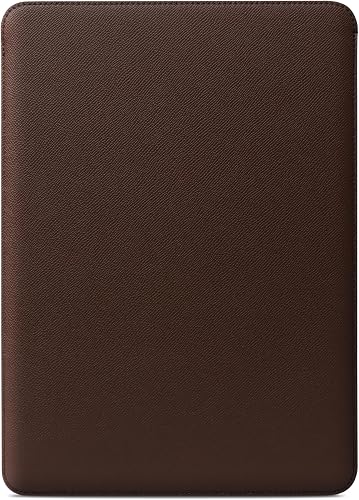
4. Comfyable Laptop Sleeve 15 Inch Precisely Compatible
Comfyable Laptop Sleeve 15 Inch Precisely Compatible: Best for a minimalist cover
- 14 x 10.43 x 0.32 in internal dimensions
- Faux-leather exterior
- Felt interior
- Flat design for use as a bottom pad
Comfyable is the thinnest-style choice here, with faux leather outside and felt inside. Its flat design can also serve as a bottom pad while you use the computer.
Pros
- Very slim design
- Felt interior
- Animal-free faux leather
Cons
- No accessory pocket
- Open-top cover design
Comfyable is the best minimalist option for a buyer who wants a thin cover around a 15-inch MacBook Air. Its interior dimensions are 14 x 10.43 x 0.32 inches, so it has a much slimmer stated profile than the padded organizer cases above.
The outside uses faux leather, and the laptop-facing interior uses felt. The front and back are designed to stay flat, allowing the sleeve to work as a bottom pad while you use the computer.
Its compatibility details cover the 15-inch MacBook Air M5, M4, M3 and M2 models. The open-top cover style makes access quick, but it does not provide the same enclosed travel structure as a double-zipper sleeve.
Choose Comfyable for a clean desk-to-bag setup where low bulk matters more than pockets or a handle. Check your MacBook's dimensions carefully because the close fit leaves less room for a separate protective shell.
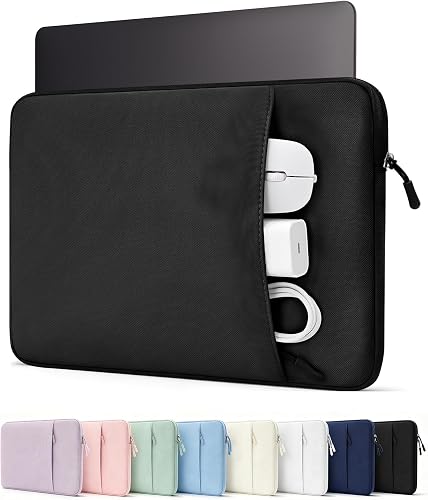
5. ProCase 15 Inch Laptop Sleeve for MacBook
ProCase 15 Inch Laptop Sleeve for MacBook: Best for mixed laptop households
- 13.42 x 9.37 x 0.95 in internal dimensions
- Soft lining
- Front pocket
- Pen holder
ProCase is aimed at buyers who may carry more than a MacBook Air. Its compatibility details include several 15-inch laptop families, plus a front pocket for daily accessories.
Pros
- Broad compatibility
- Front pocket
- Pen holder
Cons
- Smaller internal length than some picks
- Confirm fit for your exact model
ProCase suits a household or office where the sleeve may carry different 15-inch laptops. Its internal dimensions are 13.42 x 9.37 x 0.95 inches, and its compatibility details include MacBook Air, MacBook Pro, Surface, HP, Dell, ASUS, Lenovo and Acer models.
The sleeve has thick shock-absorbing padding and an ultra-soft plush lining. A wear-resistant outer fabric is intended for frequent daily use, while the slim shape fits inside backpacks, briefcases and travel luggage.
Its front pocket has room for a charger, power bank, USB cables, docking hub, mouse and other small accessories. The additional pen holder gives it a more organized work-bag layout than a plain laptop cover.
ProCase is a good choice when flexibility matters more than a MacBook-specific cut. Because its internal length is shorter than several other picks here, compare your exact laptop measurements before choosing it for a 15-inch MacBook Air.
6. ARVOK Laptop Sleeve Case
ARVOK Laptop Sleeve Case: Best for water-resistant wide fit
- 14.6 x 10 x 0.79 in internal dimensions
- Waterproof PVC outer layer
- Velvet inner layer
- Double zipper
ARVOK offers a wider fit for many 15-inch to 16-inch laptops, with a PVC outer layer and velvet lining. It suits buyers who want a simple sleeve for a MacBook Air or another laptop.
Pros
- Waterproof outer material
- Velvet lining
- Double zipper
Cons
- Exact product identifier needs checking before ordering
- Broader fit may feel less tailored
ARVOK is the better choice for buyers who want a simple sleeve with a broad laptop fit and a water-resistant outer layer. Its interior dimensions are 14.6 x 10 x 0.79 inches, and its compatibility details cover many 15-inch, 15.6-inch and 16-inch laptops.
The outer layer uses waterproof PVC material, with a cushion sponge pad in the middle and velvet fabric inside. The design is intended to help isolate dust, rainwater and splashing liquids while reducing surface scratches from contact with the sleeve.
A double zipper gives access across the top opening. The matte twill exterior and metal zippers keep the design simple, and the lightweight shape can slide into a briefcase or backpack.
The wider compatibility range can help if your household has more than one laptop. It may feel less tailored around a MacBook Air than a sleeve built around one exact model, so measure the computer before choosing it.
How do you choose a MacBook Air 15 sleeve size?
Choose a sleeve by its internal dimensions first, then confirm the listed MacBook Air generation. The number "15 inch" is only a starting point because sleeves can differ in length, width, thickness and padding.
Internal dimensions tell you the real space inside the sleeve. Length is often the tightest point on a 15-inch MacBook Air, so check that number with care.
Width matters for the same reason, since a short side can stop a zipper from closing cleanly. Thickness matters too, because a sleeve cut for a thinner machine may resist a thicker one.
A close-fit sleeve such as Comfyable has less spare room and a thinner profile. A padded case such as MOSISO or tomtoc needs enough internal space for its protective layers without allowing the laptop to slide around.
Padding takes room, and that room changes how the laptop sits inside. Too little space can make the sleeve hard to close, while too much space can let the computer shift.
Fit also depends on the opening and the lining. A soft lining needs a little room, but a sleeve that lets the laptop rattle will not protect it well.
Think about your usual bag as well as the sleeve itself. A sleeve that fits alone may feel crowded once it goes into a narrow backpack pocket.
For a broader explanation of fit, compare this guide with Why Does a 15-Inch Laptop Not Fit Every 15-Inch Briefcase?. The same measurement issue affects a MacBook Air sleeve and a briefcase compartment.
Measure your MacBook Air with its ports and hinges in mind. Leave a little room for a soft lining, but avoid a sleeve that lets the laptop rattle.
If you order online, keep the packaging until you test the fit at home. Try the sleeve in your usual bag before you remove any tags.
Do you need a 15-inch laptop sleeve or a MacBook Air sleeve?
A general 15-inch laptop sleeve can work if its internal dimensions match your MacBook Air. A MacBook-specific sleeve may give a closer fit, while a general sleeve may suit several brands.
The shape inside matters more than the label. CaseBuy and tomtoc name several MacBook Air generations, while ProCase and ARVOK cover wider groups of laptops for shared use.
Sharing can be practical in a small office or family home. A sleeve safe for several machines may still feel loose on the MacBook Air, so check fit before relying on it.
MacBook-specific sleeves often focus on the Air 15 shape and thickness. They can feel neater in a bag, but they may not suit a thicker laptop later.
Padding also differs between the two types. A general sleeve may add thick layers for many models, while a specific sleeve can place padding where one machine needs it.
Check the opening style before you decide. A top zipper feels secure for travel, while an open top is quicker but leaves the laptop less enclosed.
If you are comparing other laptop sizes, see our guide to the best laptop sleeve 15 inch options. For a larger Apple laptop, our best laptop sleeve for MacBook Pro 16 guide uses a different fit question.
For the 15-inch MacBook Air, measure first and read the compatibility list second. Wipe the lining clean from time to time, since dust can build up in a shared sleeve.
Which sleeve features matter for daily work?
Prioritize a padded interior, a zipper that closes fully, and a fit that limits movement. Add pockets, a handle or a trolley belt only if those features match how you carry the computer.
Padding is the base layer for daily knocks and bumps. Thick foam can help with light impacts, but it cannot replace a padded backpack for drops from a height.
A zipper that closes fully keeps the laptop enclosed in a crowded train or a busy office. A zipper that strains at the end is a sign that the sleeve is too small.
Fit limits movement, and movement can cause scuffs over time. A laptop that slides inside will rub against linings and seams during a commute.
Extra parts can help, but they can also add bulk to a slim bag. Choose them for a clear reason, not just because they sound useful.
MOSISO has the most structured carry setup here, with an extendable handle, side-opening zipper and trolley belt. tomtoc focuses on corner protection, while CaseBuy and ProCase add front storage without a handle.
A handle suits short walks between a car and an office door. A trolley belt suits airports, where the sleeve can ride on a suitcase handle.
Pockets suit a charger, cable or mouse, but they should not press on the laptop. Separate storage keeps hard items away from the screen and case.
Water resistance also varies. tomtoc, CaseBuy and ARVOK have water-resistant or waterproof material details, while MOSISO's stated water resistance level is not water resistant.
Water-resistant fabric can handle light splashes better than plain cloth. It still needs drying after rain, and it should not be treated as a sealed container.
Care habits differ by material. Polyester and canvas can often be wiped clean, while faux leather and felt need a gentler touch.
Check the lining for sand or crumbs, since grit can scratch a laptop lid. Close zippers fully, store the sleeve dry, and let padding air out after a wet commute.
What should you carry in a MacBook Air 15 sleeve?
Carry only the accessories that fit without pressing against the laptop. A charger, cable, mouse or small notebook can work in a front pocket, but avoid forcing bulky items into the same compartment as the computer.
Start with the laptop alone and see how it sits inside the sleeve. If the laptop moves or the zipper strains, leave hard items out of the main space.
A charger is a common extra, yet its shape can create pressure points. Place it in a front pocket or a separate pouch when the design allows.
Cables are easier to carry, but loose cables can tangle with small parts. A zippered pocket keeps them contained and stops them from rubbing the laptop.
A mouse can fit in many front compartments, though its hard shell needs care. Keep it away from the screen side and avoid stacking heavy items on top of it.
MOSISO has 4 front zipper pockets for separated small items. CaseBuy has one large front compartment, while tomtoc and ProCase provide front storage for common laptop accessories.
Separated pockets help when you carry pens, earphones and a cable at once. One large compartment is simpler, but small items can shift and bump together.
A slim cover such as Comfyable is better for the MacBook alone. If you need a charger and mouse with the computer, choose a sleeve with stated storage rather than adding pressure to a close-fit cover.
A small notebook can work in a zippered pocket if it lies flat. A thick notebook can bend the sleeve and press against the laptop lid.
Power banks and hubs are heavier, so place them low in a pocket and check that the sleeve still closes without force. For a light office trip, the laptop and one cable may be enough.
Clean pockets often, since crumbs and dust can collect in corners. That balance keeps the MacBook Air protected and the daily load easy to manage.
Verdict: which is the best sleeve for MacBook Air 15?
Pick MOSISO if you want the most complete travel case with padding, 4 pockets, a handle and a trolley belt. Pick tomtoc if corner protection and a water-resistant recycled-polyester sleeve matter more than carrying structure.
Choose CaseBuy for slim storage, Comfyable for the thinnest minimalist cover, ProCase for mixed laptop compatibility, and ARVOK for a broad fit with a waterproof PVC outer layer.
If you are moving down to the smaller MacBook Air, compare the best MacBook Air 13-inch laptop sleeve guide. For material-specific choices, see the best leather sleeve for MacBook Air 13 inch and best MacBook Air neoprene sleeve guides.
Our top 3 picks at a glance
-
1
Best for organized travel
MOSISO 360 Protective Laptop Case 15 inch
9.7/10 our score
See it on Amazon -
2
Best for corner protection
tomtoc 360° Protective Laptop Sleeve for 15-inch
9.5/10 our score
See it on Amazon -
3
Best for slim everyday carry
CaseBuy MacBook Air 15 inch Sleeve Water-Resistant
9.4/10 our score
See it on Amazon
Frequently asked questions
What size sleeve fits a 15-inch MacBook Air?
A sleeve should match the laptop's actual length, width and thickness, not only the number in its name. Compare your MacBook Air with the sleeve's internal dimensions, especially when choosing a close-fit model such as Comfyable or tomtoc.
A little room for padding is useful, but too much movement can reduce protection.
Is a 15-inch MacBook Air sleeve the same as a 15-inch laptop sleeve?
Not always. A general 15-inch laptop sleeve may have a wider or taller opening, while a 15-inch MacBook Air sleeve may be cut around the MacBook's shape.
Check the exact internal dimensions and compatibility list before using a general 15-inch laptop sleeve.
Should a MacBook Air 15 sleeve have a pocket?
Choose a pocket if you want to carry a charger, mouse, cable or small notebook with the computer. MOSISO has 4 front zipper pockets, while CaseBuy, tomtoc and ProCase use larger front storage areas.
Comfyable has a slimmer cover design without a stated accessory pocket.
What is the most protective MacBook Air 15 sleeve?
tomtoc is the strongest protection-focused choice here because it combines CornerArmor Technology, high-resilience edges and high-density soft padding. MOSISO also adds a reinforced interior edge, foam padding and a fluffy cushion.
Protection still depends on choosing a sleeve with the correct internal fit.